
Prime Vault
Choose a Prime vault on Sui, make a deposit and withdraw using that vault’s liquidity or settlement schedule.
Choose a Prime vault
On NAVI Earn, select the Prime filter. Pick the row that matches your asset and curator. SUI Prime and Volo SUI Prime both accept SUI, but your choice determines where it is invested and when you can withdraw.
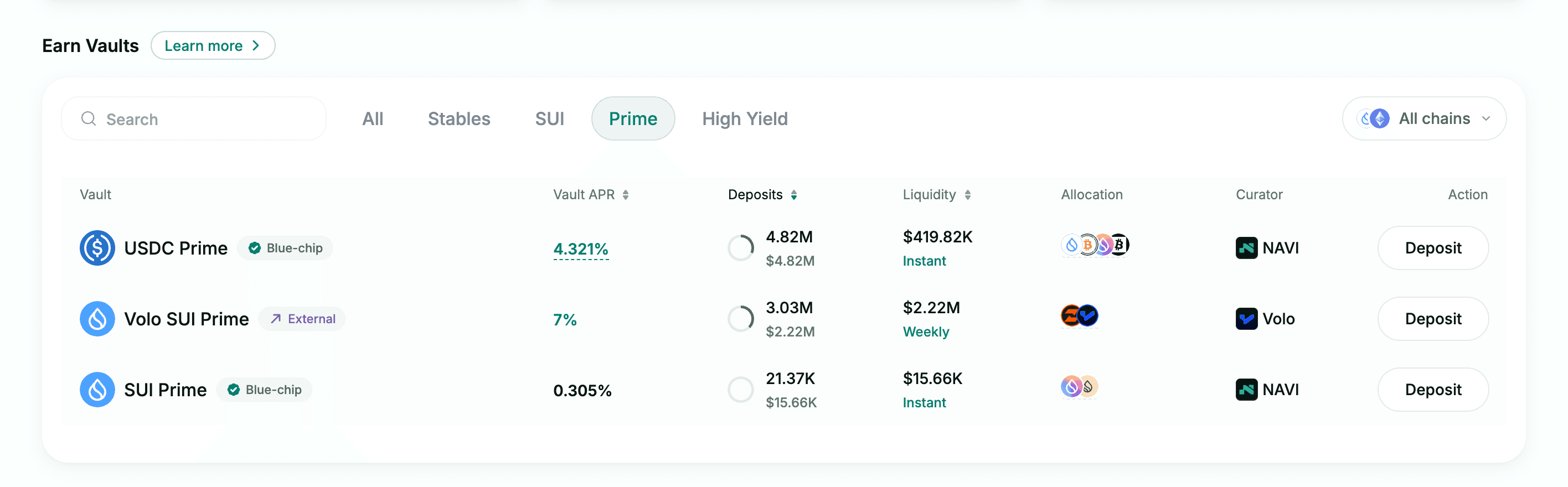
- USDC Prime or SUI Prime (Blue-chip). Open Strategy to see the allocation by market and the collateral backing each one. Safety shows the curator’s permissions, the timelock for changing risk settings and the amount available to withdraw.
- Volo SUI Prime (External). Review the protocols listed under Strategy. In Performance, compare the current vault APR with the target and check the exit fee. Safety shows the weekly withdrawal window.
Deposit
- Connect the Sui wallet holding your deposit asset. Open the vault and select Deposit.
- Enter an amount within the remaining capacity. For Volo SUI Prime, also check Min Investment and Starts Earning. Review any risk disclosure before confirming in your wallet.
- Return to Earn and check Your Position on the same vault’s row. For a scheduled deposit, check the indicated start time before expecting it to earn.
Withdraw
- Blue-chip lending vault. Select Manage → Withdraw on your vault. Enter an amount up to the available withdrawal liquidity, confirm, then check the returned USDC or SUI in your wallet.
- Volo SUI Prime. Open Withdraw, enter the SUI amount and review the exit fee and next settlement time. Confirm the request and track it in the vault until the weekly settlement returns the funds to your wallet.