
Optimize
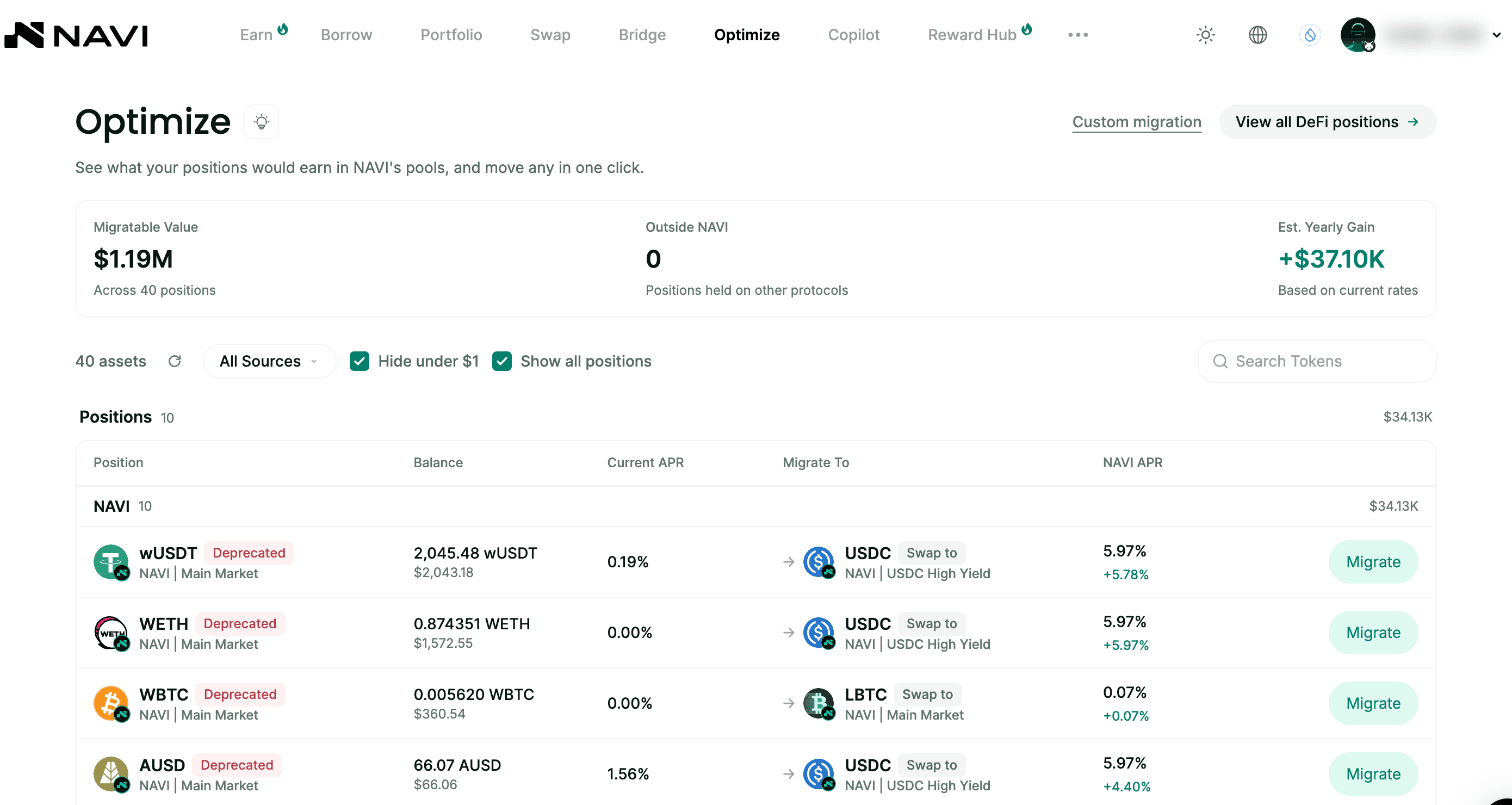
Compare a migration quote with your current position before moving it in one transaction.
Compare a migration
- Open Optimize and choose Supply or Borrow.
- Select your position. Compare your current APR with the destination pool, then check available liquidity, price impact and estimated fees.
- For a loan, review the projected Health Factor. Confirm the transaction and check the resulting position in your portfolio.
What am I paying for?
To move a debt position, Optimize can use a flash loan to repay the original debt and release the collateral. The migration repays that temporary loan and its fee in the same transaction. If repayment fails, the migration reverts.
Check the quoted flash loan fee, any borrow fee on the new debt and Sui gas alongside the projected APR. See flash loan amounts and fees for the underlying configuration.
Which positions can I move?
Optimize lists eligible positions from NAVI and Suilend. Select your position to see the available destination and quote.